Agent Controller · ACP
Follow your agent’s work in a conversation view.
Read responses, inspect tool calls and code changes, answer questions and approve actions in the browser. Agent Controller connects directly to supported agents running on your machine.
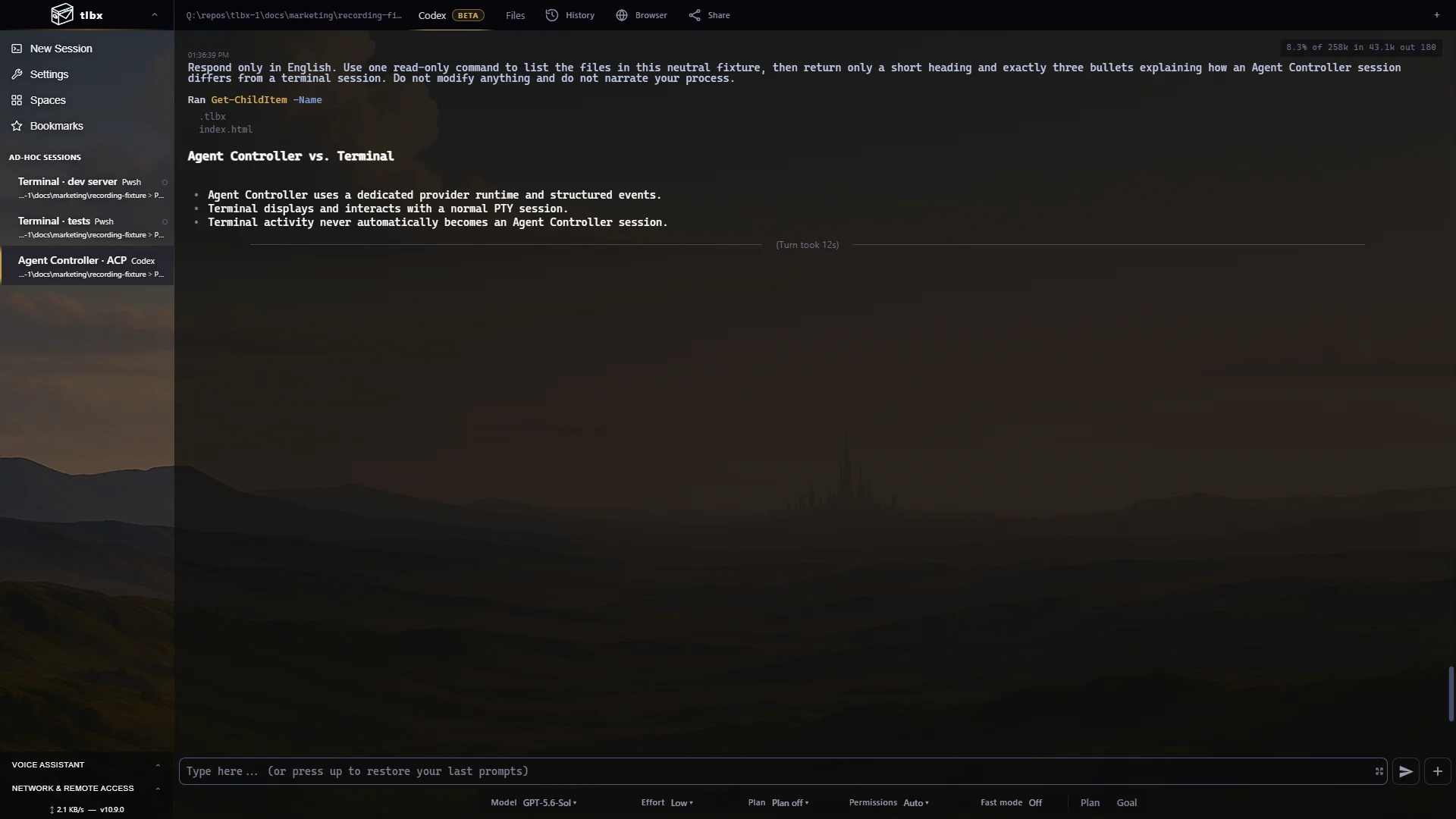
Two session types
Choose Terminal or Agent Controller
Use Terminal for your usual command-line tools. Choose Agent Controller for a supported coding agent when you want a conversation view. Both give you access to the same files, Git information and app preview.
What changes
Responses, tools and changes in one view
- History
- Browse conversations saved on the host, including long histories.
- Tools & diffs
- Inspect commands, their output and file changes as separate entries.
- Interaction
- Answer questions, approve actions, cancel a turn and choose supported agent settings.
- Session choice
- You choose the session type at launch. Starting a CLI in Terminal keeps it in Terminal mode.
Choose Terminal
For shells, terminal editors, builds and command-line coding agents.
Choose Agent Controller
For supported agents when you want to review conversations, tool calls and changes, or answer approval requests.
Mix both
Keep an agent conversation, a dev server, tests and ordinary terminals adjacent in one session sidebar.
Stay self-hosted
The agent runs with your machine’s tools and credentials. You interact with it through the browser.
Agent support
Supported agents
- Built-ins
- Codex, Grok Build, OpenCode, Gemini CLI and GitHub Copilot CLI have built-in launch options.
- Validated runs
- Codex, Grok Build and Copilot CLI have produced complete end-to-end turns in current tlbx validation.
- Provider conditions
- Gemini CLI requires valid local Google credentials. OpenCode can initialize and attach while assistant output still depends on its selected provider.
- Custom agents
- Add local ACP-v1 definitions through
acp-agents.json; tlbx validates the executable, arguments and protocol contract before launch. - Other command-line agents
- Use a Terminal session for Claude Code and other command-line tools.
Common questions
Agent Controller FAQ
Does Agent Controller replace the terminal?
You can use both. Terminal runs your shells and command-line tools; Agent Controller adds a conversation view for supported agents.
Does tlbx infer agent state from terminal output?
Agent Controller receives structured events directly from the agent. Terminal sessions display ordinary terminal output.
Where does the agent run?
On your tlbx host, with that machine’s files, tools and credentials. You interact through the browser.
Can custom ACP agents be added?
Yes. Administrators can add validated local ACP-v1 definitions through acp-agents.json.